
We get a lot of customers that ask about syncing their cell phone to their car, so I made a short video tutorial and also wrote out the steps with pictures. Hopefully this helps, but Ford also has video tutorials, as well as instructions, that go more in depth.
https://owner.ford.com/how-tos/sync-technology/sync/phone/how-to-pair-your-phone-with-sync.html
1. Make sure the Bluetooth feature is enabled on your cell phone.
a. For iPhone Users:

You can either swipe up and click on the Bluetooth symbol to turn it on.
OR

Go into your Settings & select
ON for Bluetooth
b. For Android Users:

2. If your vehicle is a touchscreen then press “Add Device.”
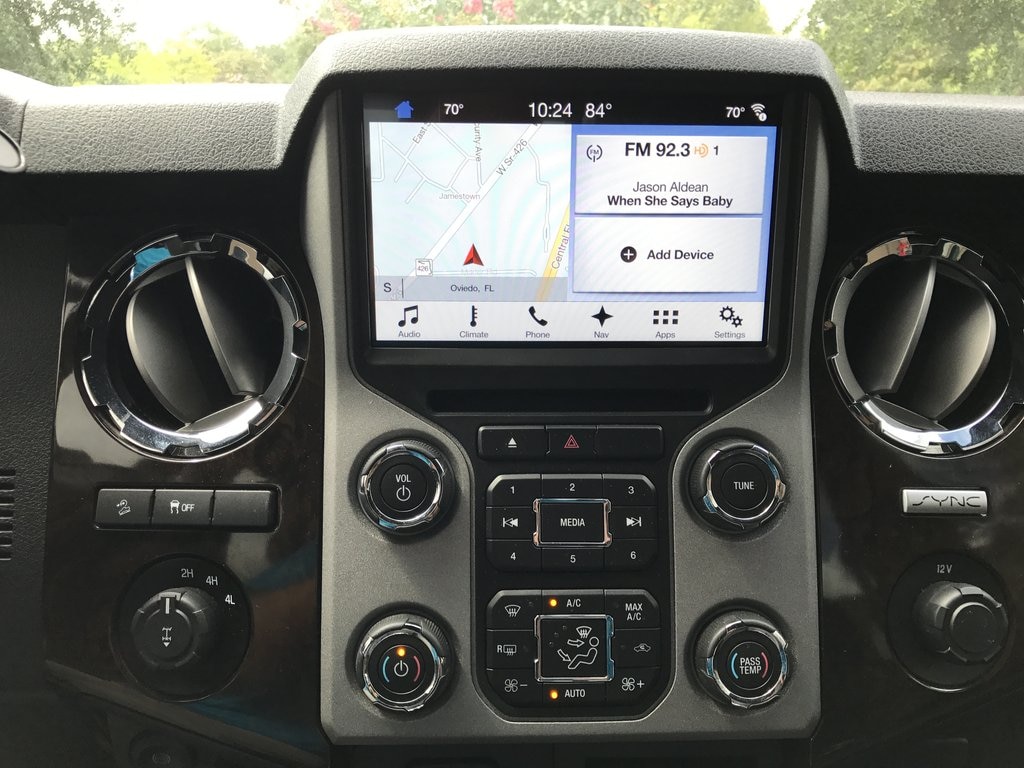
If your vehicle is not a touchscreen, press the phone button
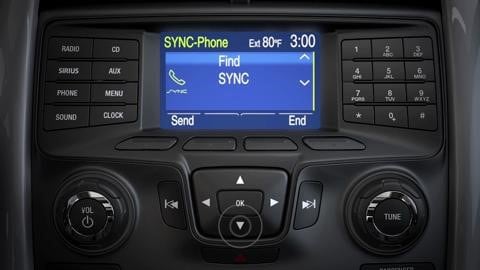
If you haven’t yet hooked up your phone, then “Please Add A Phone” will display on the screen. Press Add.
3. When prompted on your phone’s display, confirm that the PIN displayed by your vehicle screen matches the PIN displayed on your phone.
4. The display screen will then indicate that pairing is successful.
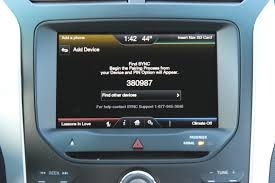
Once your phone is synced you can make phone calls, listen to music, and more. This Bluetooth Connectivity feature is available in all our new vehicles including the new F-150, new Focus, new Fiesta, new Fusion, new Ecosport, new Escape, new Explorer, and new Expedition. Many of our used vehicles offer phone syncing as well. The models that aren’t Fords have a little different of a setup but the same basic idea. Check out our inventory to find what new and used vehicles have the phone syncing option. If you are in Sylva, Franklin, Waynesville, Dillsboro, Cullowhee, or other surrounding areas in western North Carolina, stop by the dealership to get one of our sales staff members to give you an in-person tutorial on how to hook up your cellphone to your car!
